Demonstration. Everything here is invented. Do not enter real people or real training records.← Find Care Scotland

Learning Core

Write the course. Pass the quiz. The record writes itself.

Short courses for your care staff, written in your own words or linked from somewhere else, with a quiz, a certificate and a renewal date. Say who must do what, see at a glance who has, and every finished course goes straight into their training record in Care Core.

  • Proof that staysA finished course, every quiz try and the trail of changes can never be deleted or altered. A renewal is a new record, not an edit.
  • Nothing assumedA course runs out only if you type how many months. A requirement is due only after the days you set. It never tells you what the law requires.
  • Honest markingThe right answers never reach a learner's screen before their quiz is marked. A wrong answer shows what to look at again.

What it does

Write it, do it, prove it, renew it.

01

Write a course in minutes

Sections of plain text, then an optional multiple-choice quiz with a pass mark you choose. Or link a course done somewhere else, such as your council's own training.

  • A published course is locked, so people learn from exactly what was there
  • To change one, copy it, edit the copy and retire the old one
  • Mark it mandatory and it says so in Care Core
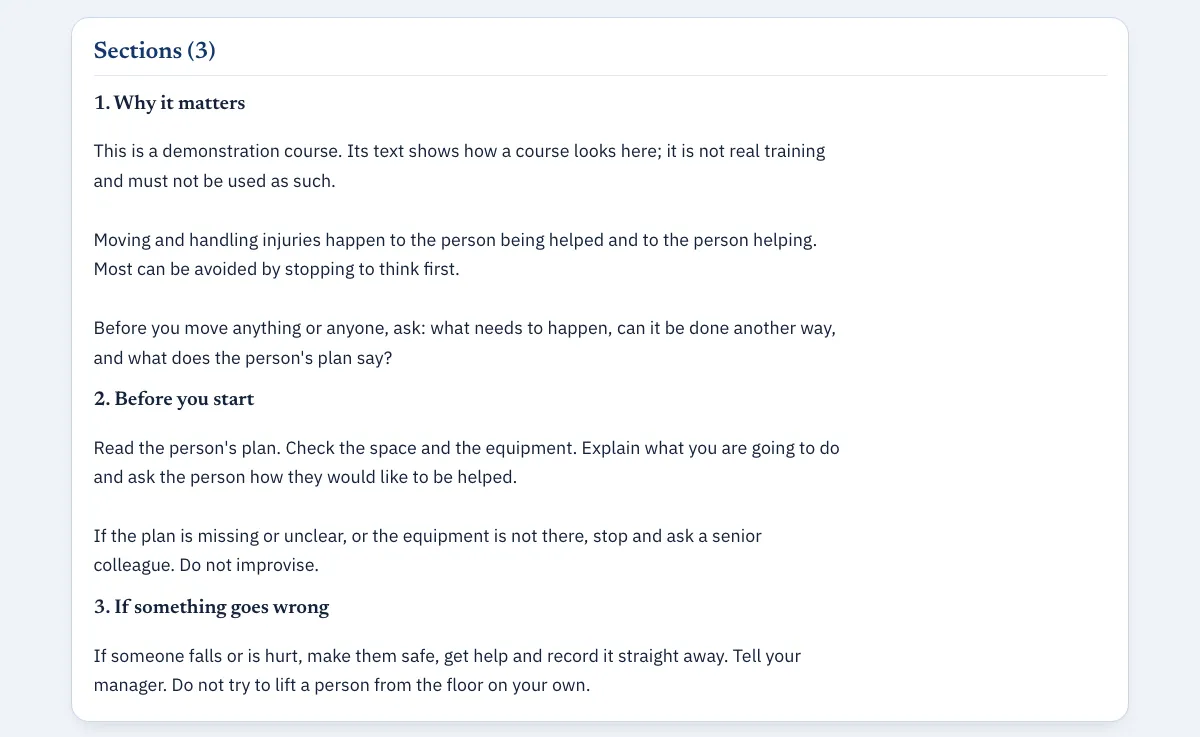
A course in Learning Core: its three sections and a four-question quiz with the correct answers marked for the author.

02

Learning that fits a shift

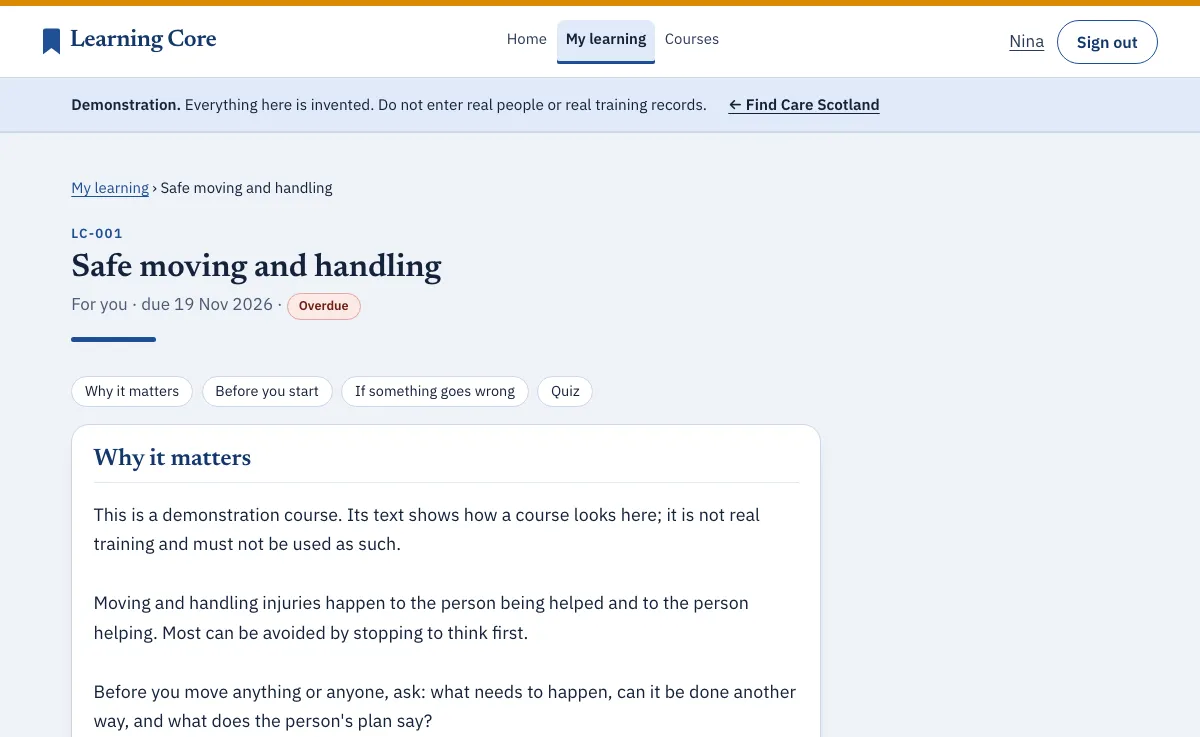
Staff open a course on a phone or a computer, read one section at a time and tick each as read. Sections are done in order, and the course remembers where they got to.

  • Large type and plain layout, readable on a small screen
  • A bar of steps shows what is done and what is next
  • Due dates and overdue courses are shown in words, not just colour
A member of staff reading the first section of a course, with steps for each section and the quiz along the top.

03

A short quiz that is marked properly

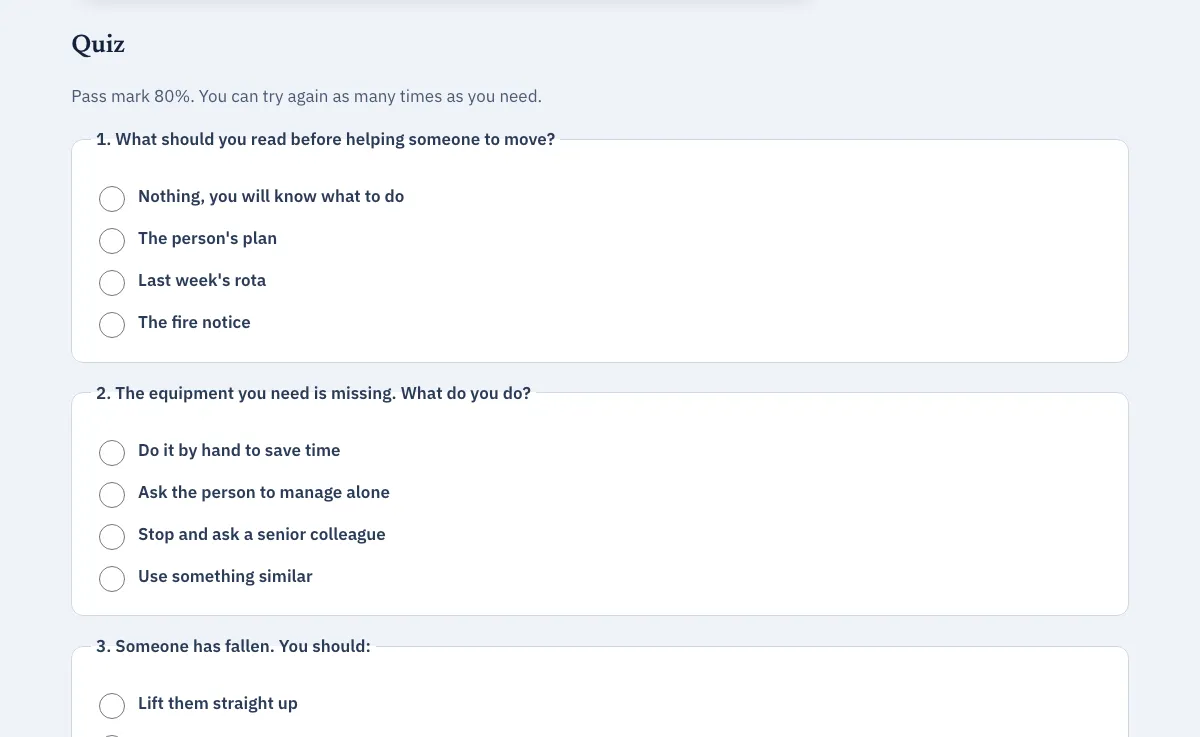
Questions with up to five answers. Try again as often as needed; every try is kept with its score. An unanswered question counts as wrong, and a wrong answer shows your explanation.

  • The pass mark is yours, 50 to 100 per cent
  • Right answers are never sent to the browser before marking
  • Pass, and the certificate is issued at once
A quiz with four multiple-choice questions and a note that the pass mark is 80 per cent.

04

A certificate you can print and trust

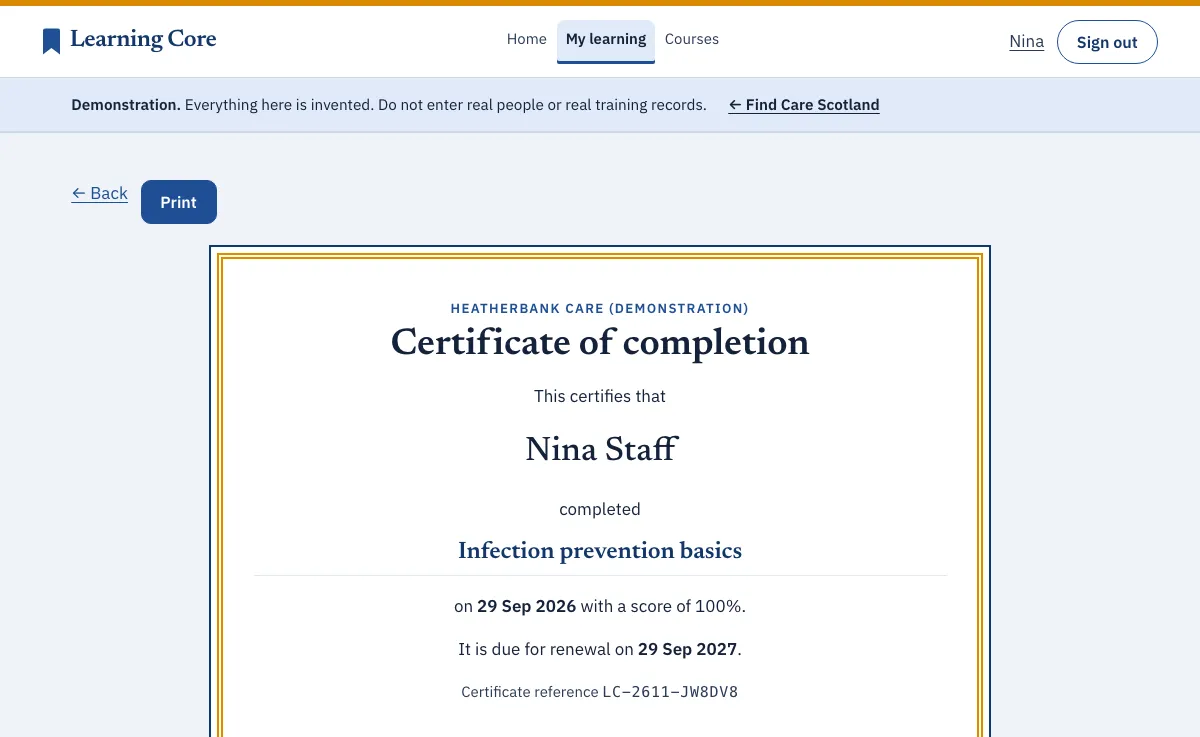
Each completion gets a reference people can read out, the date finished, the score and when it is due for renewal. For a course done elsewhere, a different manager confirms it from the certificate the person holds.

  • Printable, with the organisation's name
  • No one can confirm their own
  • The reference is unique and recorded in the audit trail
A certificate of completion with the person's name, the course, the date, the score, the renewal date and a certificate reference.

05

Say who must do it, once

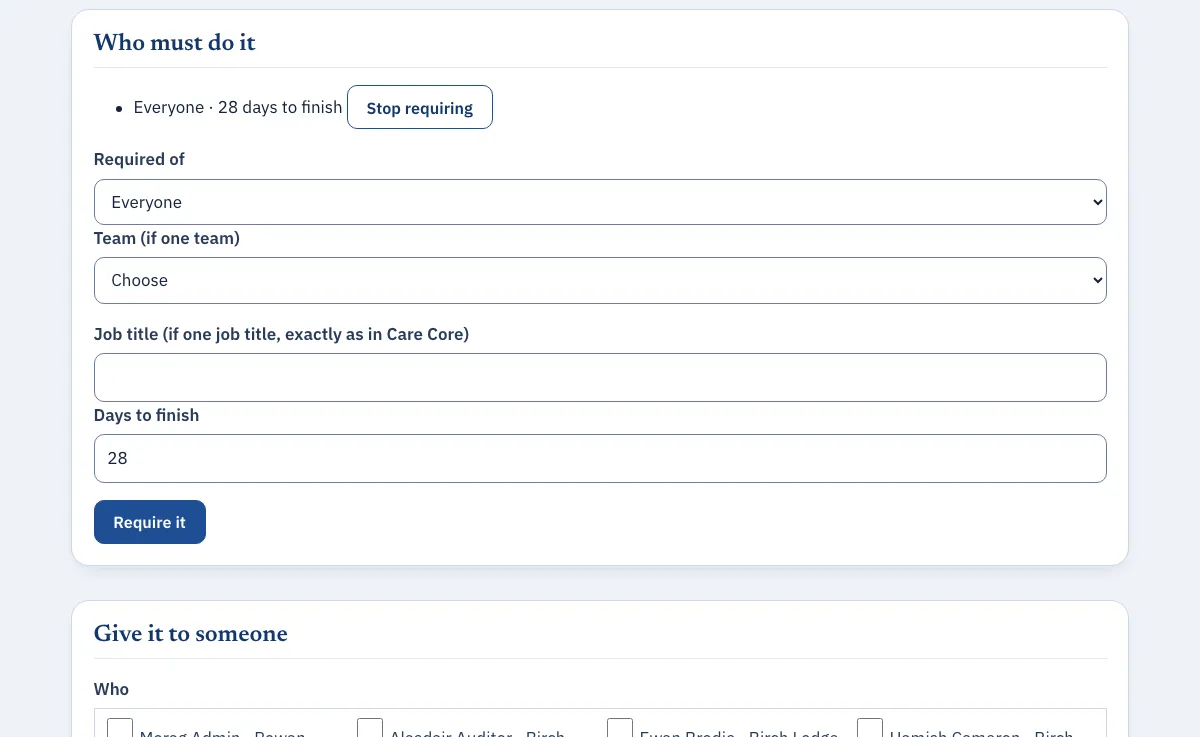
Require a course of everyone, one team or one job title, with the days to finish. Matching staff are given it when it is published and when they join, and again as a certificate nears its end.

  • Renewals are made 30 days before expiry, once, due the day it runs out
  • Someone who has left is never given it
  • Give it to one person by hand any time
Who must do a course: everyone, with 28 days to finish, and a form to require it of a team or a job title.

06

Who has done what, at a glance

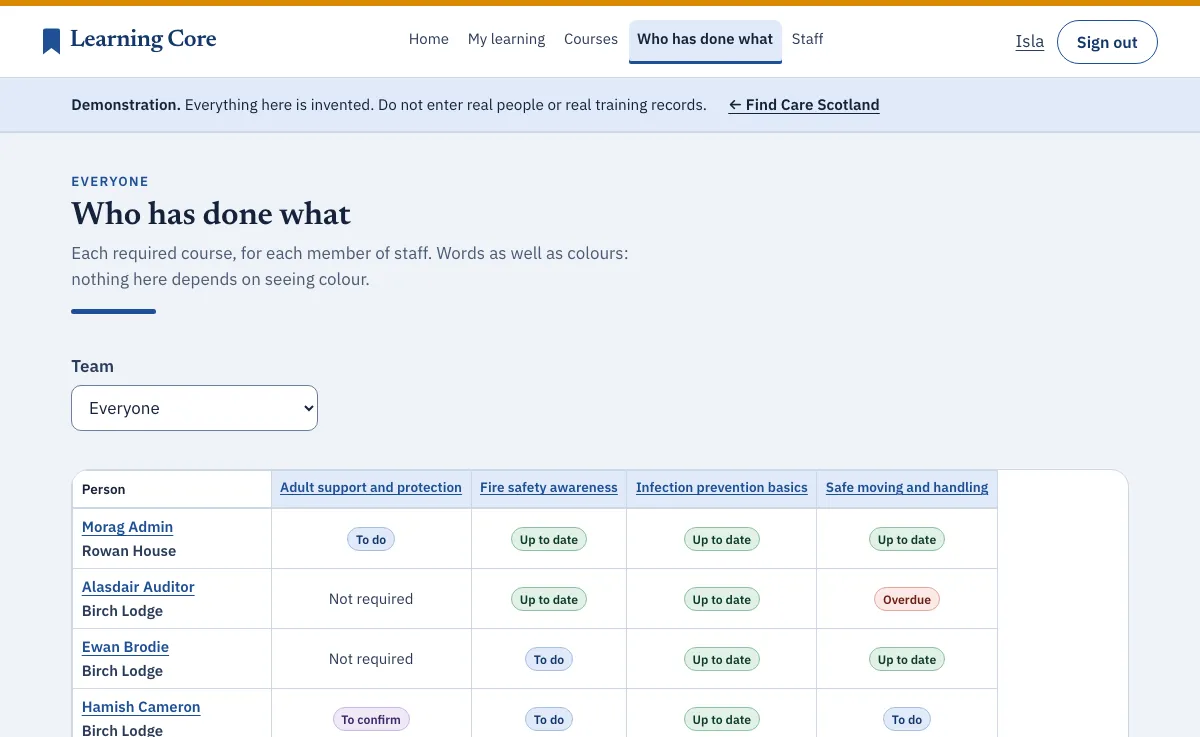
Every member of staff against every required course, in words: up to date, renew soon, overdue, to do, to confirm. Filter by team. It is a shared view for managers, senior managers and auditors.

  • Counts on the front page: how many are up to date, overdue, expiring
  • A person's own page shows their history and certificates
  • Staff see only their own courses
The training matrix: each member of staff against each required course, with up to date, overdue, to do and to confirm shown in words.

The life of a course

From a draft to a record in Care Core.

  1. WrittenAs a draft: sections, then questions. It cannot go out until every question has a correct answer.
  2. RequiredPublished, and given to everyone it is required of, with a due date from the days you typed.
  3. DoneRead, then passed. Or done elsewhere, declared by the person and confirmed by a manager.
  4. Recorded and renewedA learning record is added in Care Core, with the certificate number and expiry. A renewal follows before it runs out.

Seeing where you stand

Who is behind, and who is about to be?

The matrix and the front page count what is recorded: how many required courses are up to date, how many are overdue, how many certificates run out in the next 30 days, and what is waiting for a manager to confirm.

Care Core's own due-soon lists stay true too, because each finished course is written to the person's learning record there, with its certificate number, dates and whether it is mandatory. Quiz scores are not sent.

  • Required courses up to date, overdue, expiring and expired
  • Courses done elsewhere waiting for a manager to confirm
  • Finished courses that have not reached Care Core, with a button to send them again
  • An audit trail where a removed or changed row shows

One suite, joining up

Training that lands in the record.

Learning Core reads your staff and teams from Care Core, and writes finished courses back to each person's learning record. Care Core's My work lists what each person has to do, and its search finds your courses.

How the suite joins up around Care CoreCare Core sits in the centre. Care Plans, Digital ID, Policy Core, Referrals, Contracts, Strategic Plans, Incident Core, EngageTrack, Improvement Core, Learning Core and Rota Core are each connected to it today. Learning Core is the product you are looking at.Care Corethe recordCare Planscare recordsDigital IDstaff cards and trainingPolicy Corepolicies and readingReferralsheld in Care CoreContractsreads the peopleStrategic Plansteams own projectsIncident Coreincidents and restraintEngageTrackbehaviour supportImprovement Corecomplaints and improvementLearning Coretraining and certificatesRota Corerotas and shifts
Every line is connected today. Click any product to visit it. See the whole suite, from referral to care delivered.

Connected today

  • Care Core keeps one record of each member of staff and their teams. Learning Core reads them, so nobody is typed in twice.
  • Learning records: each finished course is added to the person's record in Care Core, with its expiry, so the due-soon lists there are true.
  • My work and Search in Care Core show each person's courses to do, and managers what is waiting to be confirmed.
  • Sign in with Care Core, and a leaver stops being able to sign in on their last day. What they did stays.

Coming next

  • Reminders by email when a course is due or about to run out.
  • Easy-read versions of a course, and video or document content.
  • Rota, so who is trained for a shift is visible when the rota is made.

Questions people ask

Does it supply the training content?

No. You write your own courses, or link ones done elsewhere. The courses in the demonstration are examples of how a course looks and say so: they are not real training.

Does it tell us which training the law or the regulator requires?

No. You decide what is required and for whom, and how often it renews. A course runs out only if you type a number of months.

What about a course done through the council or another provider?

Add it as a course done elsewhere, with its address. The person says when they finished, and a different manager confirms it from the certificate they hold. It then counts, with the same renewal rules.

Can staff cheat the quiz?

The right answers are never sent to their screen before marking, and every try is kept with its score. A manager can see the history.

Can we use it without Care Core?

Yes. Add staff in Learning Core and connect Care Core when you are ready. The key needs read permission on people, staff and teams, and the permission to add learning records if you want finished courses sent there.

Try it now

The demonstration holds invented staff and an invented training history, and is rebuilt every night. Sign in as a different role to see what each can do.

  • morag.admin@demo.example Administrator
  • callum.senior@demo.example Senior manager
  • isla.manager@demo.example Service manager
  • nina.staff@demo.example Staff
  • alasdair.auditor@demo.example Auditor (read only)

Password for every account: DemoPass2026!

Sign in to the demonstration